Pumpkin Playground Tools & Quick References
Cheatsheets and utilities that keep your sandbox sessions sharp.
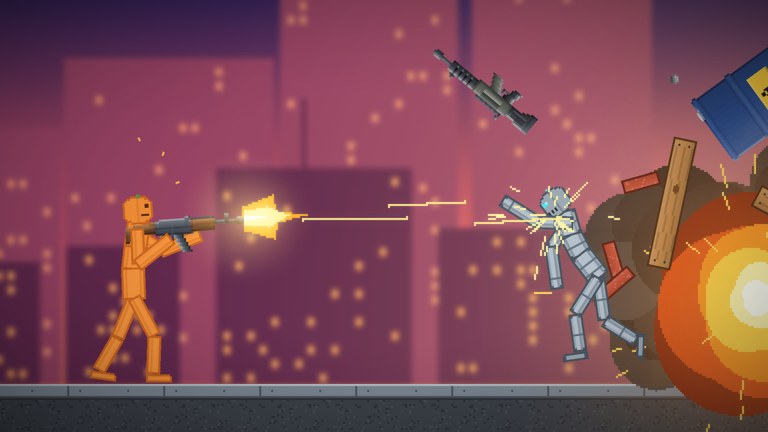
The Tools Hub gathers quick-reference material for Pumpkin Playground — the pages you keep open on a second monitor while a tornado rearranges your workshop. Unlike long-form guides, tools pages prioritize tables, checklists, and lookup speed.
Featured tool pages
- Controls cheatsheet — printable-style map of LMB, F, Space, G, T, Z, C/V, Tab, and practical reminders
More calculators or planners can join this hub later; we only add tools that stay accurate without weekly guesswork.
When to use Tools vs Guides
| Need | Go here |
|---|---|
| Memorize inputs fast | Controls cheatsheet |
| Learn why a system works | Guides Hub, e.g. controls, powers |
| Pick a loadout | Tier List Hub |
| Claim rewards | Codes, how to redeem |
| Patch impact | Updates, changelog |
| Lobby norms | Players |
Session toolkit (no downloads required)
Everything below is already in the Roblox experience:
- Tab catalog — 300+ items search surface
- Pause (Space) — frame-perfect staging
- Slow motion (G) — study limb reactions and vehicle arcs
- Heat view (T) — read fire and thermal state
- Undo (Z) — reverse misclicks before they cascade
- Copy / paste (C/V) — duplicate wiring modules and barricades
- Powers kit — eleven abilities including tornado, meteor shower, earthquake, time stop, gravity flip, UFO
- Prebuilt structures — houses, towers, bunkers as test rigs
- Map switcher — nineteen environments from workshop to Moon
Deep dives: building and wiring, maps, items and weapons.
Recommended second-screen layout
- Left: Roblox client
- Right top: this Tools Hub or the controls cheatsheet
- Right bottom: codes while redeeming, or powers tier list while planning a shoot
On a single monitor, bookmark the cheatsheet and pin the Getting Started tab for friends who just joined your six-player lobby.
What we will not put under Tools
- Fake FPS unlockers or injectors — see Scripts and safety guide
- Unverified damage calculators with invented numbers
- External downloads that mirror malware-laced “Pumpkin Playground toolkits”
If a community spreadsheet becomes trustworthy, we may link it with dates and caveats from About this wiki.
Quality bar for new tool pages
Editors should ensure each tool:
- Solves a repeated lookup problem
- Stays within verified systems (items, powers, controls, maps, codes)
- Links back to narrative guides for context
- Avoids emoji ornamentation and unverifiable YouTube IDs
- Survives a cross-check after reading the changelog
Quick start path
New to the game? Open controls cheatsheet, redeem codes, skim Getting Started, then pick one S-tier toy from the items list. Veterans can jump straight to wiring checklists inside building and wiring while keeping undo bound to muscle memory.
The best tool is still curiosity plus pause. Use this hub to remove friction, not to replace play.
Frequently Asked Questions
Quick answers for Pumpkin Playground players.
What tools are available today?
The controls cheatsheet is the primary quick reference. This hub also points to in-game utilities like pause, heat view, and catalog.
Is the cheatsheet different from the controls guide?
Yes. The guide teaches; the cheatsheet is a dense lookup table you can keep visible during play.
Do you host executable tools?
No. We only document in-game features and wiki references. Avoid third-party toolkit downloads.
Where should I go for loadout advice?
Use the Tier List Hub for items and powers rankings, then return here for input reminders.