How to Redeem Pumpkin Playground Codes
STORE → CODES → ENTER CODE → REDEEM, explained for every platform Roblox supports.
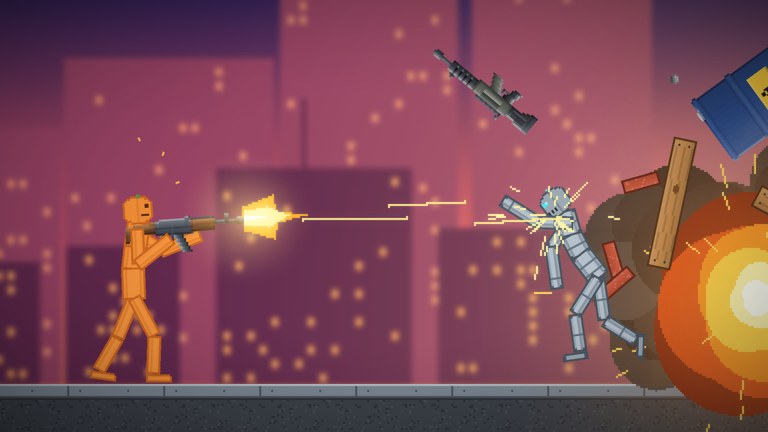
Redeeming codes in Pumpkin Playground is quick once you know where Shiny Burger placed the menu. Unlike Roblox gift cards (which use roblox.com/redeem in a browser), these strings are in-experience only. This guide walks through the full path, platform quirks, what each November 2026 reward looks like after a successful claim, and what to do when a code fails.
Before you start, open the live list on the Codes Hub so you are typing a current string. The hub marks Active versus Check status and links rewards to how they play in the sandbox.
Prerequisites
- A Roblox account that can join experiences.
- Access to Pumpkin Playground (Place ID path under the Shiny Burger group; Universe ID 10774051088).
- A stable connection—code UI sometimes fails to submit if the server is still streaming map assets.
- The exact code text. Codes are case sensitive:
PUMPKIN,BOOM,WELCOME,EARLYBIRD, andTUNEDINmust match capitalization.
You do not need Robux to redeem these promo codes. The game is free-to-play on PC, Mobile, Tablet, and Console with a server size of six players.
Step-by-step on PC
- Launch Roblox and join Pumpkin Playground from the game page or your continue list.
- Wait until the main menu finishes loading. Do not mash menus during the first few seconds on a new map.
- Click the STORE button on the main menu.
- Inside the store panel, click CODES.
- Focus the ENTER CODE field. Paste or carefully type the code. Avoid a trailing space if you pasted from chat.
- Click REDEEM.
- Watch for a success toast or inventory update. For item rewards (Cluster Bomb, Pumpkin Nuke), open the catalog with
Taband confirm the explosive is available to spawn or equip. - For XP (
WELCOME), check whatever progression or level readout the HUD exposes after redeem. - For prefixes (
EARLYBIRD,TUNEDIN), check your displayed name tag in the server list or local profile UI.
After a successful claim, jump into a quiet workshop-style map and test the item with F. Pause (Space) and slow motion (G) help you see Cluster Bomb fragments or a Nuke blast without losing track of limbs.
Mobile and tablet
Touch layouts hide some desktop affordances, but the redeem path is the same label sequence.
- Join on iOS, Android, or a tablet Roblox client.
- Tap STORE on the main menu. If the button sits behind a tutorial tip, dismiss the tip first.
- Tap CODES.
- Tap ENTER CODE, then type with the on-screen keyboard. Mobile autocorrect can lower-case codes—disable autocorrect for the field or paste from Notes.
- Tap REDEEM.
- Rotate to landscape if the confirm button is clipped on smaller phones.
On touch devices, remember that grab/fling and item use map to on-screen controls rather than left click and F. After redeeming a nuke or cluster bomb, open Controls so you know which mobile button fires the item. Heat view and undo still matter when you are testing explosives near wired machines.
Console notes
Console players can redeem the same codes, but text entry uses the platform keyboard overlay.
- Join from Xbox or PlayStation Roblox.
- Open STORE, then CODES, with the controller face buttons as labeled on-screen.
- When ENTER CODE highlights, open the virtual keyboard.
- Enter the code carefully; console keyboards sometimes insert spaces when you move between character rows.
- Confirm with REDEEM.
If your console account is linked through a different Roblox login than your PC account, rewards stay on the account that redeemed them. Always redeem on the username you actually play.
What you should receive
| Code | Expected reward | How to verify |
|---|---|---|
PUMPKIN | Cluster Bomb | Explosive appears among items; multi-burst on use |
BOOM | Pumpkin Nuke | Large blast item available; one-shot wide clear |
WELCOME | 250 XP | Progression / XP readout increases |
EARLYBIRD | Early Bird Prefix | Name prefix shows in UI |
TUNEDIN | Tuned-In Prefix | Name prefix shows in UI |
Item rewards feed the same 300+ catalog that includes guns, swords, katanas, bombs, nukes, cars, and tanks. Read Items and Weapons for safe test setups. Prefixes never change physics, wiring, or the eleven-power kit covered in Powers.
Troubleshooting failed redemptions
Invalid or unknown code — Re-check capitalization and spelling against the Codes Hub. Do not add spaces. Do not redeem Roblox website gift codes here.
Already redeemed — Many codes are once per account. If you already claimed WELCOME on an alt, that alt will not get a second 250 XP from the same string.
Expired or Check-status codes — Community lists mark aging codes as Check. Try once; if it fails after a correct entry, the window closed. Watch the Updates Hub for replacement drops.
UI does nothing when you press Redeem — Rejoin the server. Soft locks happen when STORE opens before the experience finishes replicating. Wait on the main menu for a few seconds, then reopen STORE → CODES.
Reward missing after success message — Reopen the catalog (Tab on PC). For nukes and bombs, try a fresh private-feeling server (six-player caps fill fast during peak concurrency). For prefixes, relog so name tags refresh.
Wrong account — Family-shared devices often stay signed into a sibling account. Confirm the username in the Roblox escape menu before redeeming limited-time codes.
Platform keyboard inserted a hidden character — Delete the field and type again slowly, or paste from a clean note without rich text.
After you redeem: smart first tests
Do not waste a Pumpkin Nuke on an empty void. Spawn a few pumpkin people, place a simple prop stack, and optionally wire a battery-powered light so you can watch heat and electricity interact with the blast. Building and Wiring explains motors, lights, and saving builds so your test rig survives long enough to learn. Use Z undo if a setup goes wrong before the big boom, and C / V to duplicate a good prop arrangement.
If you are brand new, follow Getting Started after redeeming so Cluster Bomb and Nuke sit inside a session where you already know grab, pause, slow motion, and map choice. On lava or Moon maps, expect different debris and fire behavior than on the quiet workshop—Maps Overview helps you pick a stage that matches the chaos level you want.
How this differs from Roblox.com redeem
Roblox-wide gift cards, toy codes, and official avatar promos use the browser page at roblox.com/redeem. Pumpkin Playground strings never go there. Likewise, website codes will not work in STORE → CODES. Keeping those pipelines separate avoids the most common “code invalid” confusion for new sandbox players.
Keeping your list fresh
Codes appear around launch (2026-10-31), visit milestones, and content patches. When Shiny Burger ships new maps, powers, or catalog items, check social channels and then return here. We keep the master table on the Codes Hub and use this page for the redemption procedure so you are not scrolling past tables when you only need the STORE path.
Redeem early on the account you main, verify the reward in-catalog, then experiment. The sandbox rewards players who combine free explosives with thoughtful wiring, powers, and map choice—not players who mash Redeem and leave.
Frequently Asked Questions
Quick answers for Pumpkin Playground players.
What is the exact redeem path in Pumpkin Playground?
Open STORE on the main menu, choose CODES, type into ENTER CODE, then press REDEEM. Codes are case sensitive.
Can I redeem Pumpkin Playground codes on mobile?
Yes. Use the same STORE → CODES → ENTER CODE → REDEEM flow. Watch for autocorrect changing capitalization when you type.
Do these codes work on roblox.com/redeem?
No. Game promo codes redeem only inside Pumpkin Playground. The website redeem page is for Roblox gift cards and official avatar promos.
I got a success message but do not see the Cluster Bomb or Nuke.
Open the in-game catalog (Tab on PC), rejoin if needed, and confirm you are on the same Roblox account that redeemed the code.
Why does a code say it was already redeemed?
Most codes are once per account. Alts need their own redemption, and Check-status codes may have expired for new claims.