Pumpkin Playground Fire, Heat, Water, Acid & Electricity
How Pumpkin Playground's real elements reshape pumpkin people, machines, and maps—and how to study them with heat view.
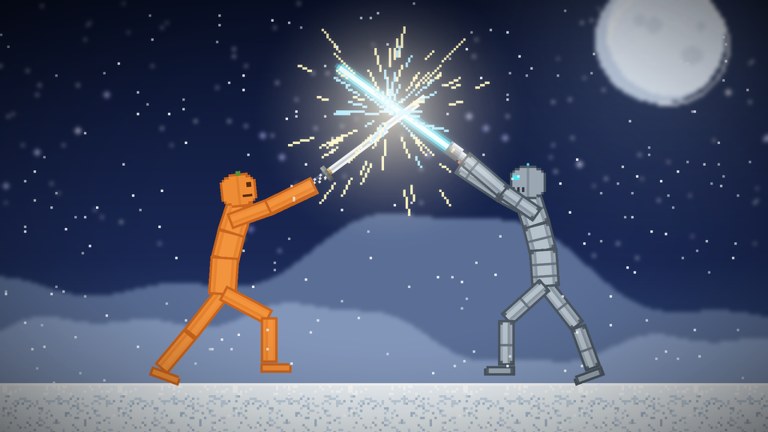
Pumpkin Playground is not only guns and powers. Shiny Burger ships real fire, heat, water, acid, and electricity as sandbox verbs that change how limbs burn, how fluids pool, and how wired machines fail. This guide teaches you to read those systems, pick maps that amplify them, and test safely with pause, slow motion, undo, and heat view (T).
If you still need the input map, start with Controls. For machines that survive elemental chaos, pair this page with Building and Wiring. Map biomes that already include lava, sea, or Moon vacuum vibes live in Maps Overview.
Why elements matter
Pumpkin people react limb by limb. Fire does not simply delete a ragdoll; it spreads, chars, and leaves stumbling bodies that limp after a burn. Water and acid reshape floors into hazard sheets. Electricity turns a casual battery line into a zap hazard when you clip a motor wrong. Heat is the invisible layer under fire—use heat view (T) whenever a scene looks calm but feels dangerous.
Treat elements like powers: announce them in six-player lobbies, copy builds before a big test, and undo (Z) when a workshop becomes unreadable.
Fire
Fire is the most cinematic element. Sparks from explosions, meteors, and intentional ignitions climb props and pumpkin outfits. On woodsy workshop stacks fire crawls; on metal bunkers it may linger on soft props only.
Practical loop
- Spawn three pumpkin people and a prop pile on a quiet workshop map.
- Light a controlled source (explosive fragment, power aftershock, or any in-catalog igniter you discover).
- Press
Tto confirm heat bloom before flames look obvious. - Pause (
Space) mid-spread to study which limbs catch first. - Slow-mo (
G) as bodies stumble and break. - Undo or paste a backup if the fire eats a wired light you still need.
Code explosives such as Cluster Bomb (PUMPKIN) and Pumpkin Nuke (BOOM) from the Codes Hub are excellent fire starters after you redeem them via How to Redeem Codes. Do not open with a nuke on a friend’s unfinished bunker.
Heat (and heat view)
Heat is the diagnostic layer. Official controls list T — heat view because fire, lava maps, and electrical shorts leave thermal footprints you might miss in normal shading.
When to toggle heat view
- After any explosion, meteor shower, or lava splash.
- Before you grab a “cool-looking” prop that was sitting in a burn zone.
- While debugging why a motor failed—overheated lines often show up thermally first.
- On Moon or dark exteriors where flame sprites are harder to read.
Heat view does not replace pause. Use both: pause freezes the sim; heat view recolors what you are looking at.
Water
Water turns open floors into slick stages and interacts with fire in the expected extinguish-or-steam fantasy depending on how the local sim resolves contact. Sea maps already bias sessions toward fluid chaos—see Maps for when to pick the ocean arena.
Tips
- Test buoyancy and drag with cars and light props before you bring tanks.
- Copy floating platforms before you flood a workshop experiment.
- Combine water with gravity flip from the Powers Guide only after everyone agrees—fluids and inverted gravity erase carefully poured channels.
Acid
Acid is the hostile cousin of water: a fluid that punishes lingering contact and melts the “safe standing spot” fantasy. Use it when you want environmental pressure without calling a full meteor shower.
Tips
- Build raised walkways or bunkers if you want pumpkin people to survive longer for filming.
- Heat view can help you spot residual hazard pools after a chaotic fight.
- Do not store precious wired circuits on the lowest floor of an acid-friendly map.
Electricity
Electricity ties directly to the wiring fantasy: batteries, motors, and lights. A correct circuit powers spectacle; a careless one zaps pumpkin people or shorts during a quake.
Safe electrical practice
- Build the circuit on a disposable workshop slice.
- Power a single light before you add motors.
- Copy (
C) the working module. - Introduce pumpkin people and vehicles only after the light stays stable.
- Stress-test with a light earthquake or tornado from the powers kit—then paste backups if the spiderweb tears.
Deep wiring patterns, save flows, and motor tips belong on Building and Wiring. This page only stresses the elemental failure modes: shorts, heat, and zap reactions.
Map pairing for elements
| Element focus | Map vibe | Why |
|---|---|---|
| Fire / heat | Workshop → houses | Readable burn paths, roofs that catch |
| Water | Sea | Fluids already define the stage |
| Acid | Tight bunkers / low floors | Forces vertical play |
| Electricity | Workshop with open benches | Easy to see sparks and lights |
| Stacked chaos | Lava | Environment already cooks the scene |
| Spectacle | Moon | Silhouettes for fire and UFO lighting |
Lava maps are advanced mode: the biome already supplies heat pressure, so adding nukes and meteors is a choice, not a requirement. New players should graduate from workshop fire drills first—Getting Started sets that expectation.
Combining elements with items and powers
- Fire + Cluster Bomb — multi-burst ignition across a crowd.
- Heat view + meteor shower — spot secondary burns after impacts.
- Water + cars — hydroplane stunts before tank tests; see Vehicles and Builds.
- Acid + earthquake — collapses drop bodies into hazard pools.
- Electricity + time stop — freeze a sparking tableau for screenshots.
Item roles for guns, swords, bombs, nukes, cars, and tanks are covered in Items and Weapons. Powers staging etiquette lives in Powers.
Six-player etiquette for elemental grief
Elements feel personal when someone floods a wiring museum or ignites a story build. Agree on rules:
- Ask before lava-dumping a shared save.
- Offer a pause window before acid pours.
- Keep one “museum” corner copy-pasted away from the blast zone.
- Rotate who gets to call world-scale fire events.
Server size is six; noise stacks fast. Mobile players also feel heat-heavy scenes harder on performance—take turns.
Research honesty
We describe fire, heat, water, acid, and electricity because the official experience pitch names them. Exact transfer rates, damage ticks, and every igniter item name belong to in-client discovery via the Tab catalog. When patches change elemental coefficients, check the Updates Hub and Changelog before you treat this page as patch-perfect.
Suggested practice session (15 minutes)
- Workshop map, three pumpkin people, one battery light (wiring).
- Toggle heat view; note baseline.
- Small fire test; pause; undo.
- Tiny water or acid spill away from the light; observe.
- Re-power the light; introduce a mild power.
- Copy survivors; optional code explosive from codes.
- Stop while you can still explain what happened.
Master elements and the sandbox stops being random destruction. You start directing weather, current, and burn like a physics storyteller—then vehicles, powers, and maps become deliberate choices instead of panic buttons.
Frequently Asked Questions
Quick answers for Pumpkin Playground players.
What elements does Pumpkin Playground include?
Official materials highlight real fire, heat, water, acid, and electricity as part of the sandbox systems.
What does the T key do?
T toggles heat view so you can read thermal footprints from fire, lava, and stressed electrical setups.
Should beginners start on lava maps?
No. Practice fire and wiring on a quiet workshop first, then move to lava, sea, and Moon once undo and copy/paste are comfortable.
Do promo codes give elemental powers?
November 2026 codes grant explosives, XP, and prefixes. Elements are built into the sandbox; explosives simply ignite scenes faster.
How do elements interact with wiring?
Electricity powers batteries, motors, and lights. Fire, quakes, and floods can destroy unsecured circuits—copy builds before stress tests.